
How to Choose the Best IPTV in Canada in 2026

Quick Answer: To find the best IPTV, first list the channels you actually watch. Next, test it at night when everyone is online to see if it freezes. Avoid deals that seem ‘too good to be true’ because they usually are. Make sure it works on your tablet or TV, and check that the price is fair. If the company looks honest and doesn’t have any ‘red flags,’ then it’s a good choice.
Introduction – Why “Best IPTV” Is Tricky in 2026
IPTV is just a way to watch TV through your internet instead of using a cable box or a satellite dish. It sounds easy, but if you search for it online, it gets confusing fast. You will find thousands of strange websites and chat groups promising every channel in the world for a few dollars. Most of these are ‘here today and gone tomorrow’—they take your money and disappear.
The confusion isn’t your fault. In Canada, finding a TV service is like walking through a strange market. Some shops are honest and work great. Others are ‘gray’ areas that might break the rules, and some are just scams meant to trick you. They all make big promises, but while some really do what they say, others will just take your money and vanish.
This guide cuts through the noise. You’ll learn how to choose an IPTV service safely, avoid the common traps, and still get excellent value—whether you’re a Habs fan in Montreal, a Raptors superfan in Toronto, or just someone tired of paying $150/month for channels you never watch. Let’s do this.
Direct Answer – How to Choose the Best IPTV in Canada
Here’s your roadmap in plain English:
- Define your needs – List your must-have channels, sports leagues, languages, and how many devices you’ll use simultaneously
- Check channel lineups – Verify the service actually offers Canadian networks, your sports teams, and realistic content (not “every channel ever made”)
- Test reliability – Use a trial to check streams during evening peak hours when everyone’s watching
- Confirm legality and transparency – Make sure the provider operates openly, not through sketchy Telegram-only contact
- Verify device compatibility – Ensure their app works smoothly on your Firestick, Android TV, or whatever you’re using
- Compare realistic pricing – Understand what legitimate IPTV costs (spoiler: not $5/month for everything)
- Choose a trusted provider – Pick one that checks all the boxes above and has actual customer support
The 30-Second Checklist
Before you hand over a single dollar, make sure your IPTV provider has:
- Channel lineup that includes your actual must-haves (Canadian networks, your sports leagues, local channels)
- Proven stability with minimal buffering during peak evening hours
- Legal transparency – operates openly with a real website
- Device support for your specific hardware with a well-reviewed app
- Customer support that’s accessible beyond a random Telegram group
- Realistic pricing that reflects actual service costs (not “lifetime access for $20”)
If any of these are missing, keep looking.
Step 1 – Understand What IPTV Really Is (And Isn’t)
IPTV uses your internet connection to stream live TV channels and on-demand content, similar to how Netflix streams movies—but with live broadcasts, sports, and traditional TV channels instead of just a content library.
IPTV is not:
- Cable or satellite (no dish, no coax cable required)
- Just another Netflix (it includes live TV, not only on-demand)
- Automatically illegal (the technology itself is perfectly legal)
Common myth: “All IPTV is pirated content.” Not true. Legitimate IPTV services exist and operate with proper licensing. The problem is that many popular IPTV services in Canada operate in legal gray areas or are outright unlicensed, which creates the confusion. According to a comprehensive guide on IPTV technology from TechRadar, IPTV itself is simply a delivery method—what matters is whether the content provider has the rights to distribute what they’re streaming.
The key distinction: A service like YouTube TV or Sling is IPTV and totally legal. A random service promising every premium channel for pennies probably isn’t.
Step 2 – Define Your Needs Before Picking a Service
Not all IPTV services are built the same, and not all viewers want the same thing. Before you start comparing providers, get clear on what you actually need:
- Sports fans: Which leagues matter? NHL, NFL, NBA, MLS, Premier League? Do you need every regional sports network or just the ones for your team?
- French-first households: Are French-language channels (RDI, TVA, TV5) non-negotiable?
- Movie and VOD lovers: Do you want a massive on-demand library or just live TV?
- Families with multiple screens: How many people will watch simultaneously?
- Device preferences: Are you committed to Firestick, or do you need compatibility across smart TVs, tablets, and phones?
Write down your top 10 must-have channels and your deal-breakers. If the service doesn’t offer CBC, TSN, and Sportsnet but you’re a hockey fan in Canada, it doesn’t matter how cheap it is.
Quebec, French Content and Local Channels
Quebec viewers have specific needs that many generic IPTV services ignore. You need robust French-language channel offerings (TVA, Noovo, RDI, ICI Radio-Canada), access to local Quebec news, and regional sports coverage—especially if you follow the Canadiens or Impact.
Many IPTV services marketed to “Canadians” are really just focused on English-speaking Ontario viewers with a token French channel or two. If you’re in Quebec, verify French content coverage upfront, and understand that IPTV in Quebec legal risks explained here also comes with unique considerations around local broadcasting rights and content licensing.
Step 3 – Check Channels, VOD and Sports Coverage
This is where most people get burned. A provider’s website lists “10,000+ channels!” but when you actually sign up, half are offline, a quarter are in languages you don’t speak, and your local CBC affiliate is nowhere to be found.
How to actually test a channel lineup:
- Canadian networks: CBC, CTV, Global, City TV, and their local affiliates in your region
- Sports networks: TSN, Sportsnet (including regional variants), RDS for French hockey coverage
- US channels: Major networks (ABC, NBC, CBS, FOX) if you want American content
- Sports leagues: Dedicated NHL, NFL, NBA, MLB channels and league passes
- Premium channels: Movie networks, HBO, specialized content
- International packs: If you want content from other countries, verify the languages and quality
A good, honest TV service will have a few hundred or a few thousand channels that actually work. They won’t claim to have ‘every channel on Earth’ because that’s impossible. Real companies are open about what they offer and will give you a list of every channel you get, instead of just making big, blurry promises.
If a provider won’t share their channel list before you pay, run.
How to Compare Sports and Premium Channels
Sports are the number one reason Canadians keep cable—and ditch it for IPTV. But not all sports coverage is equal.
During your trial period:
- Test live sports during actual game time, ideally during a Saturday night NHL game or Sunday afternoon NFL
- Check multiple sports channels at the same time if you’re a multi-screen household
- Verify that premium sports channels (like NHL Center Ice or NFL RedZone) are actually included or clearly priced as add-ons
- Test channel switching speed—if it takes 15 seconds to change from TSN to Sportsnet, you’ll miss key plays
Don’t just test at 2 PM on a Tuesday. Evening prime time and weekend sports are when providers get overwhelmed, and that’s when you’ll learn if they can actually handle the load.
Step 4 – Test Reliability and Stream Quality (Before Committing)
Reliability is everything. A channel list means nothing if streams constantly buffer, freeze during the third period, or drop to potato quality every evening.
Core reliability signals to test:
- Uptime: Are channels consistently available, or do they go offline randomly?
- Buffering: Minimal to no buffering, even during peak evening hours (7-10 PM local time)
- Channel zapping speed: How fast you can switch between channels
- Audio sync: Do voices match the video, or is there noticeable lag?
- Resolution options: Is 1080p actually available and stable? If they promise 4K, does it work?
Your 24-48 hour test plan:
- Sign up for a trial period (legitimate providers offer money-back guarantees)
- Test during peak evening hours when networks are congested
- Watch your must-have channels for at least 15-20 minutes each
- Try sports during a live game (the ultimate stress test)
- Switch between channels rapidly to test responsiveness
- Check the same channels on different devices
If the service can’t handle these basic tests, it’ll be even worse after you’ve paid for a year.
Internet Speed and Home Network Tips
Before blaming your IPTV provider, make sure your home network isn’t the problem.
Minimum internet speeds:
- One HD stream: 15 Mbps
- Multiple HD streams: 25+ Mbps
- 4K streaming: 35+ Mbps per stream
Network tips that actually matter:
- Wired is better: Ethernet connections are more stable than Wi-Fi for streaming
- Router placement: If you must use Wi-Fi, keep your streaming device close to the router
- Peak hour congestion: If your whole neighbourhood is streaming Netflix at 8 PM, your ISP connection—not your IPTV provider—might be the bottleneck
Run a speed test at SpeedTest.net during peak hours. If you’re getting significantly less than your ISP’s advertised speed, that’s your first problem to solve.
Step 5 – Make Sure It’s Legal and Safe in Canada
Let’s address the elephant in the room: Is watching IPTV legal in Canada?
Yes and no. IPTV technology itself is 100% legal. Using your internet to watch TV is not a crime. The legal issue is whether the IPTV provider has the rights to distribute the content they’re streaming.
Here’s the reality:
- Licensed IPTV services (like YouTube TV, FuboTV, or Sling—though availability varies in Canada) are completely legal
- Unlicensed IPTV services that stream content without broadcast rights operate in legal gray areas.
- As a viewer, Canadian law historically hasn’t targeted individual IPTV users, focusing enforcement on providers instead
Main risks of unlicensed IPTV:
- Service shutdowns: Providers get taken down overnight, and your subscription vanishes
- Poor quality and reliability: No incentive to invest in infrastructure when operating illegally
- Privacy concerns: Sketchy providers may log your activity or payment info
- Potential legal exposure: While rare for individual users, the legal landscape can change
According to a Canadian IPTV legal analysis from MobileSyrup, the Canadian Radio-television and Telecommunications Commission (CRTC) focuses enforcement on distributors, not end users, but using unlicensed services still carries consumer risks beyond just legality.
For a deeper dive into the legal landscape, check out this complete breakdown in our Is IPTV legal in Canada? Safe Streaming Guide 2026.
Can IPTV Be Detected by ISPs or Authorities?
Short answer: Yes, technically. Your internet service provider (ISP) can see that you’re watching a video, and with enough analysis, they can identify patterns that suggest IPTV usage. However, ISPs generally don’t check or care what specific content you’re watching.
What ISPs can see:
- Data volume and streaming patterns
- IP addresses you connect to
- General traffic types (video streaming vs web browsing)
What they typically can’t see (with HTTPS):
- Specific channels or content titles
- Detailed activity within encrypted streams
Practical reality: Mass enforcement against individual IPTV viewers in Canada remains rare. Authorities focus on taking down major unlicensed providers and distributors, not prosecuting individual households.
Safe streaming basics:
- Use services that operate transparently with real business information
- Avoid providers that only communicate through Telegram
- Consider a VPN for general privacy
- Understand what you’re signing up for and make informed decisions
Step 6 – Check Device Compatibility and Apps
So which IPTV app works best?
The honest answer: The best IPTV app is the one your provider fully supports and optimizes for your specific device. There’s no universal “best app”—it depends on whether you’re using a Firestick, Android TV, Apple TV, Smart TV, or mobile device.
Common IPTV apps:
- IPTV Smarters Pro: Popular for Firestick and Android, supports live TV, VOD, and series with EPG (electronic program guide)
- TiviMate: Highly rated for Android TV with excellent EPG, smooth interface, and customization options (requires IPTV service subscription separately)
- IbPro App: Good for iOS and Apple TV users
- Perfect Player: Another solid Android option with advanced features
According to expert reviews from What To Watch, the best IPTV player depends heavily on your device ecosystem and whether you prioritize interface design, EPG reliability, or multi-screen functionality.
Your provider should clearly tell you which apps they support and provide setup guides for each device. If they’re vague about this, it’s a red flag.
What a Good IPTV App Experience Looks Like
You’ll know you’ve got a quality app and provider combo when:
- Fast load times: Channels start within 2-3 seconds, not 10+
- Intuitive categories: Easy to find sports, movies, news without endless scrolling
- Reliable EPG: The program guide actually matches what’s playing and updates regularly
- Favorites and search: You can build custom channel lists and find content quickly
- Catch-up TV: Ability to watch recently aired content from the past few hours or days
- Multi-screen support: Stable streaming on multiple devices without crashing
If your app crashes constantly, the EPG shows wrong information, or navigation feels like solving a puzzle, either the app or the provider’s infrastructure is subpar.
Step 7 – Understand Pricing: How Much Is IPTV Per Month?
Let’s talk money. How much is IPTV per month in Canada? And more broadly, how much is IPTV per month for legitimate services?
Realistic pricing for quality IPTV services:
- Monthly plans: $15-$30/month for basic packages
- Multi-connection plans: $25-$50/month for 2-4 simultaneous streams
- Premium or sports-heavy packages: $40-$50/month
- Yearly plans: Often discounted to $60-$200/year
Compare that to traditional cable at $80-$150+/month, and you can see the appeal.
Why ultra-cheap “lifetime” deals are red flags:
- No legitimate service can offer lifetime access to licensed content at one-time fees
- Content licensing requires ongoing payments to broadcasters
- These services are usually unlicensed and frequently get shut down
What to consider:
- Monthly vs yearly: Yearly saves money but locks you in—only do this after testing monthly first
- Multi-connection bundles: More cost-effective if many people in your household stream simultaneously
- Trial periods: Legitimate providers offer trials or money-back guarantees
- Payment methods: Credit cards and PayPal offer buyer protection; crypto-only is suspicious
According to pricing research from IPTV comparison sites like Comparitech, standard North American IPTV services with proper licensing typically fall into the $15-$50/month range depending on channel count and features.
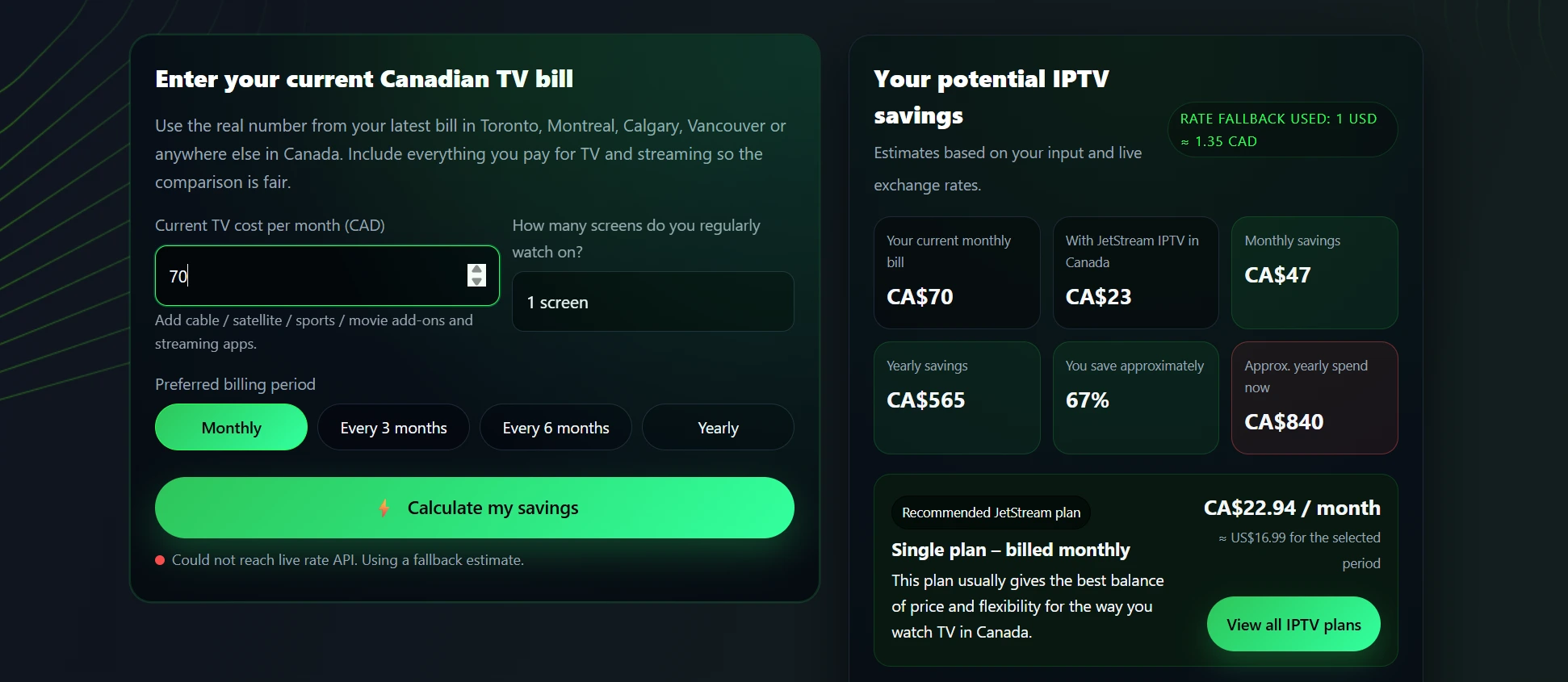
Use a Simple IPTV Calculator
Before committing, figure out what you should actually expect to pay. A good IPTV cost calculator helps you estimate monthly costs based on:
- Number of connections you need
- Sports packages vs basic channels
- Premium add-ons
- Annual vs monthly payment savings
Many providers, including options you can explore at JET STREAM IPTV. offer calculators or clear pricing breakdowns so you know exactly what you’re paying for before you start a trial.
Step 8 – Spot Red Flags and Scams Before You Pay
The IPTV market is full of landmines. Here’s how to avoid them.
Major red flags:
- “Lifetime” access for a one-time tiny fee – Not sustainable for licensed content
- Cryptocurrency-only payments – Harder to dispute or get refunds
- Telegram-only support – Legitimate businesses have websites and email
- Extremely vague website – No real information, broken English
- Ridiculous channel promises – “Every channel in the world!” is not realistic
- No trial or refund policy – Legitimate services let you test before fully committing
- Pushy resellers spamming forums – Real companies don’t need to spam Reddit
Green flags (signs of trustworthy providers):
- Clear, professional website with real information
- Transparent pricing with no hidden fees
- Contact information including email support or WhatsApp number
- Trial period or money-back guarantee (at least 7-day refund policy)
- Real customer reviews on independent sites (not just testimonials on their own site)
- Device compatibility info – Clear setup guides for each platform
According to consumer protection analysis from Canada’s Competition Bureau on streaming service scams, transparency, and accessible customer support are critical markers of legitimate operations.
Quick Green-Flag vs Red-Flag Table
| Green Flags (Trustworthy) | Red Flags (Avoid) |
|---|---|
| Professional website | Cheap website, only Telegram |
| Clear pricing structure | Vague pricing or “contact for price” |
| Money-back guarantee | No refunds |
| Multiple payment options | Cryptocurrency only |
| Email/live chat customer support | Only Telegram chat or no support |
| Realistic channel count | “Every channel on Earth!” claims |
| Setup guides for multiple devices | No documentation or guides |
| Verified customer reviews on third-party sites | Only screenshots of chats |
Real-World POV: How I Personally Test an IPTV Provider
I’ll be honest: I’ve been burned before. A couple years ago, I jumped on a service that promised 55,000 channels for $6/month. The website looked decent, reviews seemed okay, and I figured I’d save a fortune over cable.
What actually happened:
- First week was fine. Channels loaded, quality was decent, I thought I’d hit the jackpot.
- Then the Leafs had a big Saturday night game. Third period, tied 3-3, and the stream just… died. Buffering wheel of death. Switched to a backup TSN channel—same thing. Tried Sportsnet—offline.
- Contacted “support” which was just a Telegram group. No response for 18 hours. By then, the game was long over.
- Service limped along for another month before disappearing entirely. Website went offline, Telegram group deleted, money gone.
Lesson learned: Rock-bottom pricing means rock-bottom reliability when it matters most.
But that’s not even the worst I’ve heard. An IPTV user, Alex from Ontario, had an experience that perfectly illustrates the scam patterns I warned about earlier. He signed up with a provider claiming to be Canadian, got charged in British pounds (red flag #1), and paid extra due to currency conversion. The login credentials they sent didn’t work. When he contacted them, they blamed his app and made him download IBO Player instead. Those instructions didn’t work either. Then, radio silence—support just stopped responding entirely. He couldn’t get a refund, couldn’t access the service, just out the money. Classic bait-and-switch scam that hits more people than you’d think.
I switched to a more transparent, moderately priced provider after my own disaster. The difference was night and day. Streams stayed stable during playoff hockey, customer support actually responded within hours, and the app didn’t feel like it was held together with digital duct tape. Yeah, I paid more—but I also didn’t miss critical moments of games I actually cared about.
My personal testing process now:
- Only try services with real websites and contact info
- Always start with a month, never jump straight to yearly plans
- Deliberately test during sports events and prime time evenings
- Check if customer support actually exists before problems happen
- Read independent reviews (Google, Reddit, Trustpilot) not just provider testimonials
It’s not foolproof, but it’s eliminated most of the headaches.
Example of a Trusted IPTV Setup (Using JET STREAM IPTV)
So what does a solid, trustworthy IPTV Canada provider actually look like in practice? Let’s use JET STREAM IPTV as a working example—not because it’s the only option, but because it checks the boxes we’ve discussed throughout this guide.
How JET STREAM IPTV maps to the checklist:
Channels and content: Offers Canadian networks (CBC, CTV, Global), major sports channels (TSN, Sportsnet, RDS), US networks, and international content—with an actual downloadable channel list so you know what you’re getting before signing up.
Reliability: Built on stable server infrastructure with multiple backup streams for major channels. Peak-hour performance is prioritized, which matters during Saturday night hockey or Sunday football.
Legality-aware stance: Operates transparently, with a real website, contact information, and doesn’t hide behind anonymous Telegram groups.
Device support: Provides setup guides for Firestick, Android TV, Smart TVs, iOS, and more, with recommended apps (like IPTV Smarters) and actual customer support to help with setup.
Pricing: Transparent pricing structure with monthly and yearly options, multi-connection bundles clearly explained.
Support: Accessible customer service through email, a real WhatsApp number and website contact forms.
Where JET STREAM IPTV Fits on the Checklist
| Criteria | JET STREAM IPTV Score |
|---|---|
| Channel Lineup | Strong Canadian and sports coverage with verifiable channel list |
| Stability | Multi-server infrastructure, minimal buffering during peak hours |
| Transparency | Real website and contact info |
| Device Support | Supports all major platforms with setup guides |
| Pricing | Transparent monthly/yearly options, realistic for service provided |
| Customer Support | Responsive email and website support, actual humans, and real Whatsapp number |
FAQ – Quick Answers to What People Also Ask
Is watching IPTV legal in Canada?
IPTV technology is legal. The legality question is about whether the service provider has proper licensing for the content they distribute. Licensed IPTV services are completely legal; unlicensed services operate in gray areas or are illegal. As a viewer, Canadian enforcement has historically focused on providers rather than individual users. For more detail, see our Is IPTV legal in Canada? Safe Streaming Guide 2026.
What is the number one IPTV?
There’s no universal “number one IPTV” because different viewers have different needs. The best service for a Quebec French-language household isn’t the same as the best for an Ontario sports fanatic. The “best IPTV” is the one that matches your specific checklist: the right channels, proven reliability, transparent operations, device compatibility, and fair pricing. Many Canadian users prefer services like JET STREAM IPTV that operate transparently and prioritize Canadian content and sports.
Which IPTV app works best?
The best IPTV app is whichever one your provider fully supports for your device. Popular options include IPTV Smarters Pro (great for Firestick and Android), TiviMate (excellent for Android TV with advanced EPG), and IbPro App (solid for iOS/Apple TV). What matters more than the app itself is whether your provider optimizes their service for it and offers setup support.
Can IPTV be detected?
Yes, technically. Your ISP can see streaming patterns and data volume, which could indicate IPTV usage. However, ISPs in Canada generally don’t monitor or take action against individual IPTV viewers. Enforcement focuses on shutting down unlicensed providers, not prosecuting individual households. Using HTTPS connections and VPNs adds privacy layers, but doesn’t make unlicensed content legal.
How much is IPTV per month in Canada?
Legitimate IPTV services in Canada typically cost $15-$30/month for basic packages, $25-$50/month for multi-connection plans, and $40-$70/month for premium sports-heavy packages. Annual plans often discount to $10-$35/month equivalent. If someone’s offering “everything for $5/month,” it’s either unlicensed or a scam.
How much is IPTV per month?
Globally, quality IPTV services range from $15-$50/month depending on channel count, simultaneous connections, and features. Ultra-cheap “lifetime” deals for tiny one-time fees are red flags—legitimate services require ongoing licensing costs. Monthly plans offer flexibility; yearly plans save money but require more confidence in the provider. Use an IPTV cost calculator to estimate based on your specific needs.
What is the most trusted IPTV provider?
“Trusted” means transparent operations, stable service, responsive support, and realistic pricing—not just cheap. Look for providers with real websites, verifiable business information, customer reviews on independent sites, trial periods, and clear channel lists. JET STREAM IPTV is one example that checks these boxes for Canadian viewers, but the most trusted provider for you is the one that matches your checklist and passes your personal testing during a trial period.
Key Takeaways – Your Best IPTV Decision Checklist
Before you sign up for any IPTV service, run through this final checklist:
- Know your must-haves: Write down your essential channels, sports leagues, and devices before you start shopping
- Verify the channel list: Don’t take vague promises—get a real, downloadable channel list
- Test during peak hours: Trials mean nothing if you only test at 2 PM on a Tuesday
- Check transparency: Real website, real contact info not just Telegram
- Confirm device compatibility: Make sure they support your Firestick, Smart TV, or whatever you’re using
- Understand realistic pricing: Quality IPTV costs more than $5/month but less than cable
- Look for green flags: Refunds, responsive support, verified reviews
- Avoid red flags: Lifetime deals, crypto-only, no contact info, ridiculous channel claims
- Start monthly, not yearly: Test for at least a month before committing to annual plans
Choosing the best IPTV in Canada isn’t about finding the cheapest option or the one with the biggest channel number. It’s about finding the service that actually delivers what you need, when you need it, without the headaches.
Take this checklist, test a few options (start with transparent providers like JET STREAM IPTV if you want a solid baseline), and make your decision based on real performance—not marketing hype. Your future self, watching uninterrupted playoff hockey, will thank you.